My favorite drone video gear:
🎥My favorite Mavic Pro picture profile: D-Log 0, -1,-1 (unless I'm filming in a high-dynamic-range scenario, then I want my sharpness set to +1.
Other settings that I use in the DJI Go App:
- Record in Manual
- Record in the MP4 Video Format
- Record in 4K at 30fps, conformed in post to 24fps.
- Record at 1/60th shutter speed by using Polar Pro's Cinema Series Vivid Collection of ND Filters with Polarizers (which you can buy on Amazon at: )
- Turn the Over Exposure Warning (aka Zebras) ON, and make sure no parts of my video are overexposed.
- Monitor the EV Meter and try to ALWAYS keep my exposure at 0.0 or slightly above at .3 or .7, never under 0.0 (note that this is bugged in my current version of the firmware and the EV does not work, so I monitor my zebras instead and film with my footage just below where the zebras start to appear, almost over-exposed.)
- Manually set my White Balance using the "Custom" option and dialing in the exact Kelvin value. In most daylight/partly cloudy situations this is at 7,000K.
- Keep my ISO at 100 if possible.
❓If you are wondering why I use these settings, please watch the video, because two-thirds of it is dedicated to explaining why I use them. :)
As promised in my Mavic Pro Review video (which you can watch here: ), I'm excited to share with you my favorite picture profile for the Mavic Pro. This is the exact picture profile that I use for filming weddings, travel videos, and any other professional shoots. With a bit of color grading, I find that it can result in some beautiful footage shot with this tiny drone.
In the future, I plan on bringing you a video dedicated to exactly how I use Adobe Premiere Pro to color grade the footage shot with this exact picture profile, and how I use LUTs with it as well.
🚁You can watch my Mavic Pro video review here:
🎬 Join my wedding film editing course:
✌ Join my Learn Wedding Filmmaking Facebook Group: /
►► Book more weddings! Download my FREE quick tips guide to book more wedding film clients: /
⏱ EDIT FASTER! I use Archaius Creative to help edit my videos & they want to help you too!: (Get 10% off your first editing project when you use this link)
😍 Color Graded with WhoisMatt LUTs:
Edited using Adobe Premiere Pro. Download a free trial at:
Please be sure to check out Matt (of The Film Poets) video about Mavic sharpness settings at:
INSANE lowlight main camera on Amazon:
My favorite wide angle lens with AF on Amazon:
Ultra-versatile medium lens with AF on Amazon:
Best drone ever on Amazon:
Filters for the best drone ever on Amazon:
BEEFY electronic gimbal on Amazon:
Fantastic video monopod on Amazon:
Ridiculously tiny audio recorder and mic on Amazon:
Prism for fancy in-camera effects on Amazon:
FAST video editing laptop on Amazon:
Indestructible camera case on Amazon:
Light & sturdy travel tripod on Amazon:
Portable LED Lighting Kit on Amazon:
Music licensing sites I recommend:
🎧 Sound Stripe - (use the coupon code "WHOISMATT" for 10% off a yearly or monthly subscription!)
🎷 ART LIST - (free extra 2-months when you subscribe using this link!)
🎵 Musicbed -
I’m required to state that I'm a part of affiliate programs for Amazon, B&H, SoundStripe, ArtList, Musicbed, and Adobe and that some of the links above are affiliate links.
Mdp.lt is not the owner of this text/video/image/photo content, the real source of content is Youtube.com and user declared in this page publication as Youtube.com user,
if you have any question about video removal, what was shared by open community, please contact Youtube.com directly or report bad/not working video links directly to video owner on Youtube.com. Removed video from Youtube.com will also be removed from here.


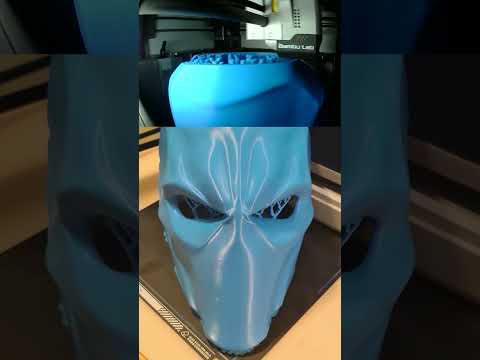 Deathstroke 3d printed wearable mask #shorts
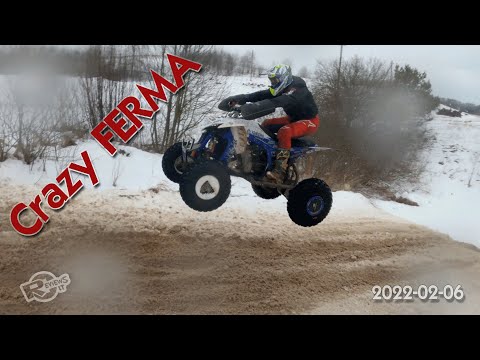 Dirt bike and quadbike event at Crazy Ferma 2022-02-06